Nonino Caffe
Specialty coffee store
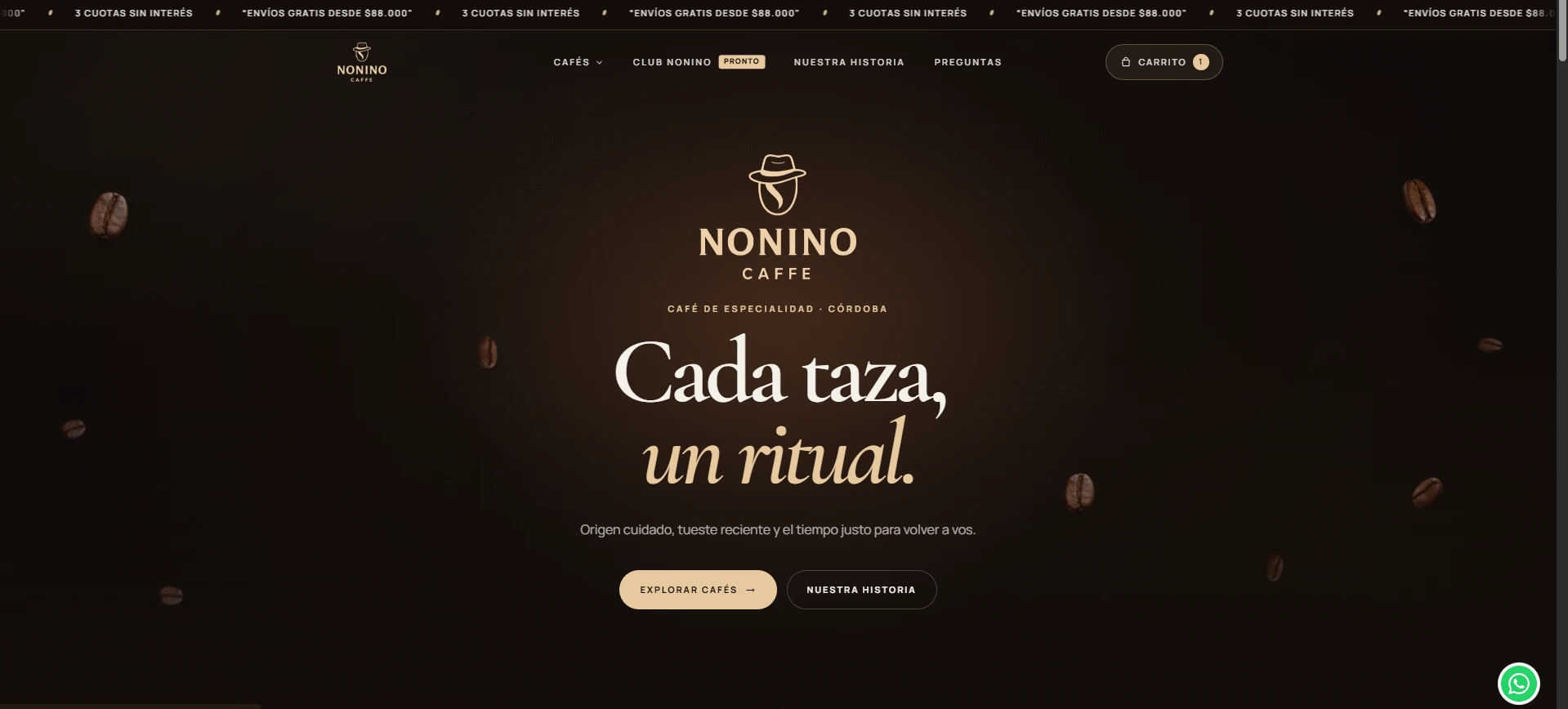
WooCommerce online store with a custom theme and a custom plugin. I handled the design, the development and the payment and shipping integrations.
The code is split into two pieces: a custom theme and a single custom plugin, where the store logic lives (checkout, shipping, payments, emails, newsletter and tracking). Third-party plugins, such as the carrier ones, are adapted with WordPress filters and hooks.
Tools developed
Built for Nonino Caffe, ordered from most to least complex.
Custom checkout
- PHP
- JavaScript
- jQuery
- WooCommerce
What it does
Replaces the classic WooCommerce checkout form. The custom plugin redefines the fields: a single full-name field that is split into first and last name, a four-digit postal code, street, street number and city. It validates everything on the server with messages in Spanish, and a theme script repeats the validations in the browser, next to each field.
For branch deliveries, the buyer chooses between Correo Argentino and Andreani branches in selectors that look the same. The Correo list is limited to the checkout's province and sorted by postal code proximity. Local pickup does not ask for street or number.
What makes it complex
The WooCommerce checkout refreshes through AJAX every time the address changes, and two third-party carrier plugins add their own selectors and reloads on the same page. The difficulty was making them coexist without editing their files: the Correo branches AJAX action is registered before the plugin's own so the list can be filtered, the messages from both carriers are unified by replacing only the text with the gettext filter, and the script rebuilds both selectors with the same configuration every time the plugins reload their list.
The table that cross-checks postal code and province is deliberately permissive: it flags an error only when the code is certainly outside the province, so a valid purchase is never blocked. If there is a mismatch, no rates are requested from the carriers. The script also controls the page scroll when there are validation errors, because WooCommerce moves it on its own.
Custom WooCommerce theme
- PHP
- JavaScript
- CSS
- WooCommerce
What it does
A custom-built classic WordPress theme that replaces the WooCommerce templates for the catalog, the product page, the cart, the order details and the order received page. It includes the home page sections, a club page and an FAQ page.
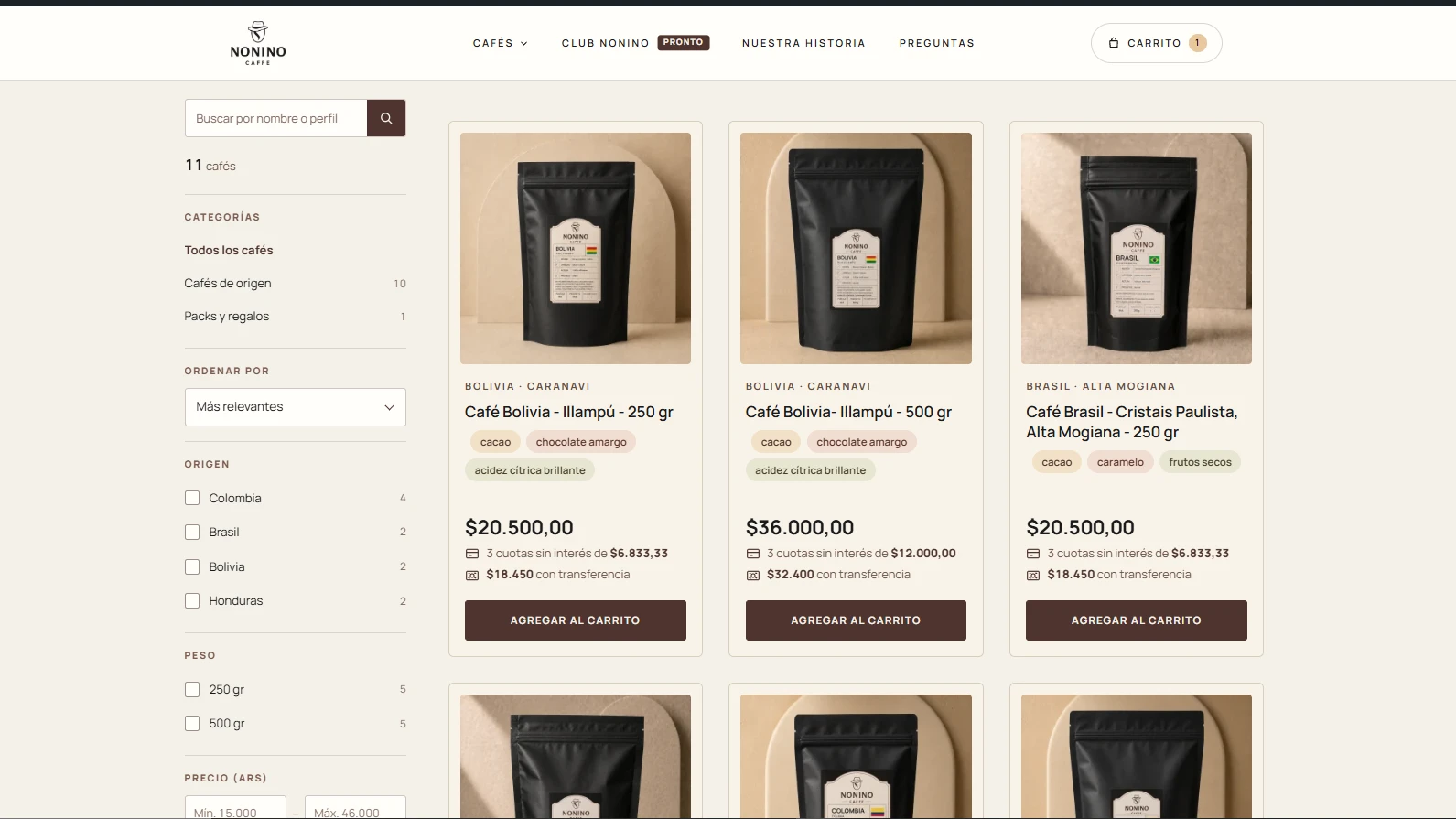
The catalog has filters by origin and weight, a price range and a sort by score. The cart also opens in a side panel from the header, and the cart page has a quantity selector that updates the order on its own.
What makes it complex
The filters use the native WooCommerce parameters (attributes in the URL, price range and sort order), so a filtered search works as a regular form without JavaScript. The script only adds automatic submission when a filter changes and, on phones, turns the panel into a side drawer with a focus trap, closing with Escape and page scroll locking, plus a preview of how many coffees the selection returns.
The order received page changes depending on the order status (failed, paid, on hold, pending or received) and tells bank transfer payments apart. Since it overrides WooCommerce templates, the theme has to keep working with updates to WooCommerce and to the payment and shipping plugins.
Shipping quote on the product page
- PHP
- JavaScript
- AJAX
- WooCommerce
What it does
On a product page, the visitor enters a province and postal code and sees the shipping options and their cost before adding anything to the cart. An AJAX action in the custom plugin validates the request (nonce, four-digit postal code and province) and responds with the available rates or with a specific message if something fails.
What makes it complex
WooCommerce calculates shipping from the cart, not from a single product. To quote from the product page, a simulated shipping package is built, with one unit of the product and the destination entered, without touching the buyer's cart. Each shipping method is calculated separately: if one carrier fails, the other carriers' rates are still shown, and an error is reported only when none of them responds.
On top of that result, the same rate filters used by the checkout are applied again, so the local pickup and free shipping the visitor sees match what they will see when buying.
Newsletter with double opt-in and welcome coupon
- PHP
- JavaScript
- MySQL
- WooCommerce
What it does
The visitor subscribes from a welcome window, receives an email with a link to confirm and, once confirmed, is issued a WooCommerce coupon with an expiry date. Every email includes an unsubscribe link. The admin panel has a subscriber list with status filter, search, CSV export and deletion.
Subscribers are stored in a custom MySQL table, with the consent text and its version, the date and a hash of the IP instead of the IP itself. The coupon is validated in the cart and at checkout: it only works for the first purchase and for the email that received it.
What makes it complex
A custom table is used instead of a WordPress content type because this is personal data: it needs a unique key on the normalized email to avoid duplicating subscribers atomically (for example, Gmail variants with dots or +tags), and it must not be exposed to the REST API or to WordPress search. The confirmation link stores only the token's hash and expires after two days.
The coupon combines several rules: the first-purchase check compares against the data of previous orders, which are stored normalized at purchase time, and the bank transfer discount can be reduced when the order uses this coupon.
Local shipping rules and free shipping
- PHP
- WooCommerce
What it does
Pickup and local delivery are native WooCommerce methods that the plugin shows only for the postal codes of Alta Gracia and Anisacate, in Córdoba. Home delivery becomes free when the cart reaches the same free-shipping amount advertised for the rest of the country, and pickup adds a note to arrange the address over WhatsApp. Pickup orders get the same instructions in the emails.
For the rest of the country, an adapter sets the Correo Argentino and Andreani rates to zero when the order reaches the amount, and shows the original cost struck through next to the free shipping label.
What makes it complex
The carriers calculate each rate through an API and know nothing about free shipping. The adapter does not invent prices: it takes the rate the carrier returns, sets it to zero and keeps the original cost to show it struck through. It acts only on a closed list of verified shipping methods, so pickup and other rates are never made free by mistake.
The amount is read from the native free shipping setting, so the cart progress bar, local delivery and the carriers all agree. For pickup, the server stops requiring street and number, but WooCommerce still rejects a pickup rate that does not match the destination.
E-commerce tracking with GA4 and Meta Pixel
- PHP
- JavaScript
- Google Analytics 4
- Meta Pixel
What it does
The plugin prepares the data for each product, the cart and the purchase in PHP, and a script turns it into Google Analytics 4 events: product list and view, add to and remove from cart, view cart, begin checkout, payment method and purchase. If the Meta Pixel is loaded, it mirrors the equivalent standard events. A settings page lets you enter the IDs, and while there are none, nothing is loaded or sent to third parties.
What makes it complex
The purchase event fires only once per order: the plugin flags the order as soon as it hands the data to the page, so reloading or opening another tab does not report it again, and it is also not reported for failed or cancelled orders or orders older than a day. Each event carries an identifier shared with the Meta Pixel one, so it can be deduplicated if server-side sending is added later.
It also covers add-to-cart actions that happen through a regular form submission, without AJAX, by storing them in the session to report them on the next page, and it offers a Google Tag Manager mode and a default consent setting.
Transfer discount and automatic cancellation
- PHP
- WP-Cron
- WooCommerce
What it does
When bank transfer is chosen, the cart adds a discount (percentage or fixed, configurable in the admin panel) and the payment method description explains it. Transfer orders are left on hold and an hourly task cancels those that exceed the deadline, 24 hours by default, if they have no payment date. The customer receives a cancellation email with the brand, and the thank-you page and the order emails state the deadline.
What makes it complex
The discount depends on the chosen payment method, which changes after the cart is calculated, so the checkout recalculates the totals every time the method changes. WooCommerce only cancels pending orders by itself and transfer orders are left on hold, so a scheduled task of its own was needed.
The cancellation goes through WooCommerce's status change so that the stock is returned, processes up to 50 orders per run and skips those that have a payment date.
Transactional emails with the brand identity
- PHP
- SMTP
- WooCommerce
What it does
The plugin sends emails through an external SMTP service, active only when its credentials are defined in the site configuration: they do not live in the repository and the local environment uses a mail-capture service. WooCommerce emails carry the brand's header, colors and footer, and custom blocks are added: local pickup instructions, the transfer deadline and a cancelled order email.
What makes it complex
The sending address does not receive replies, so customer emails go out with Reply-To set to the business mailbox, while admin emails keep the customer's address. The text with the store's address is replaced so that it points to a mailbox that does reply, and the site's other emails, such as the subscription confirmation, get the same Reply-To.
Each added block must resolve in both HTML and plain text, and appear only for the customer and in the matching order status.
Content editable from the admin panel
- PHP
- JavaScript
- Gutenberg
What it does
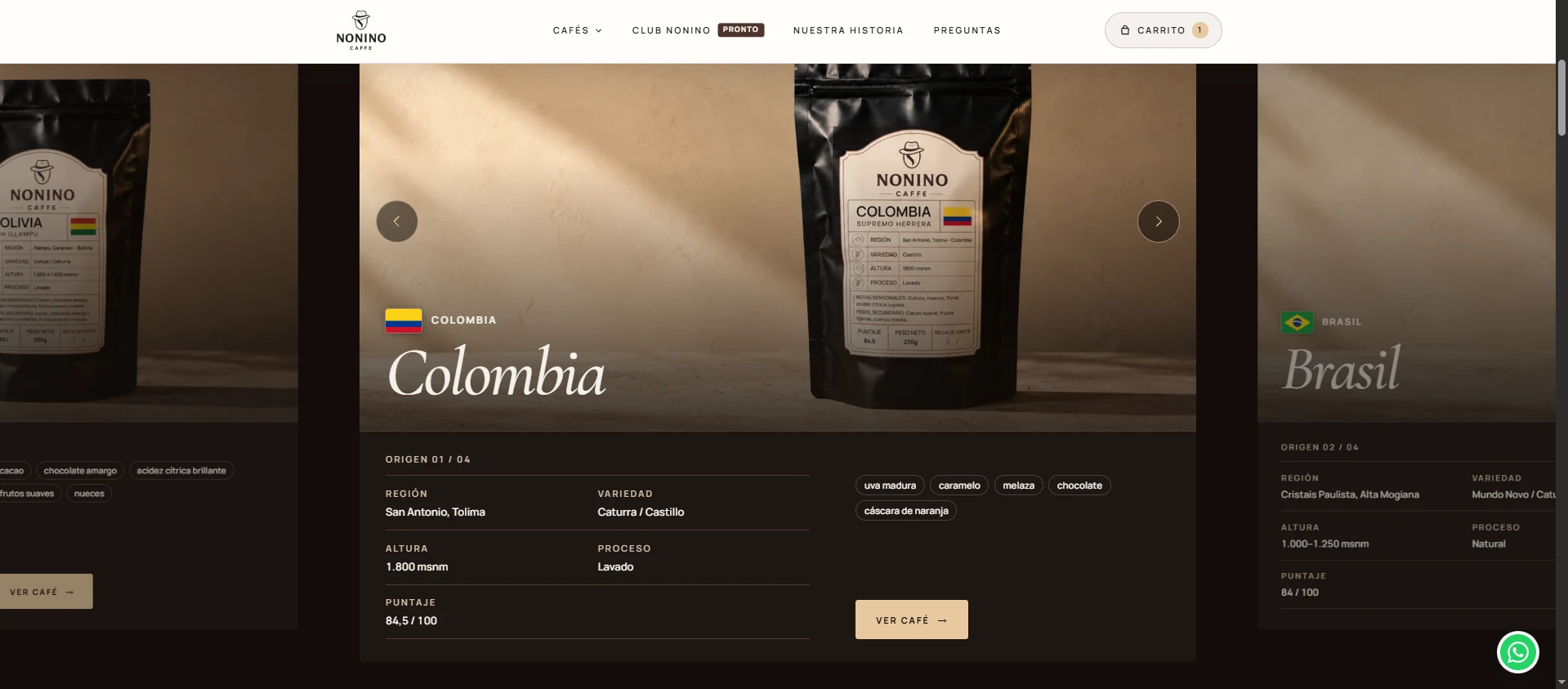
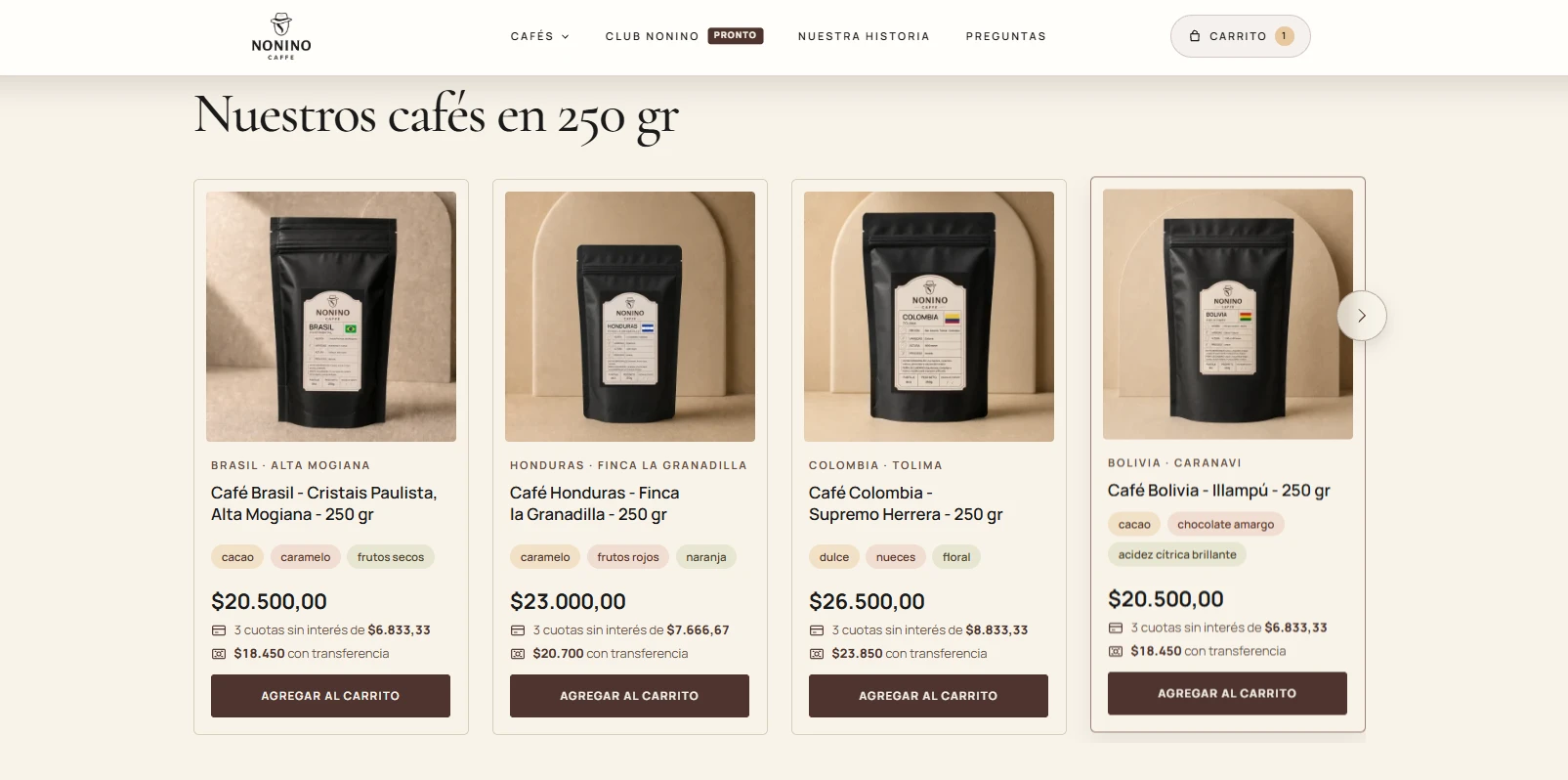
The plugin registers custom content types for notices with start and end dates, home page banners with desktop and mobile images, store banners, collections, lifestyle images and coffee origins, plus a coffee profile on each product. It adds a Gutenberg block, the product carousel, where the products and the title are chosen. The origins carousel is written without libraries.
What makes it complex
The carousel block is built in PHP on every visit, so a product that is hidden or unpublished disappears from the carousel without editing the page. The origins carousel implements by hand the drag with threshold, the velocity projection on release, keyboard support and autoplay. Without JavaScript, each origin is shown as a stacked card with its profile.